Showing posts with label manual. Show all posts

Jan 24, 2006

What kind of configuration for a node?

Procedures to configure an individual node can be classified into:

  • Control functions ($node entry - entry point to a node, $node reset - reset all agents at the node)
  • Address and Port number management, unicast routing functions ($node id - return the node number) , agents are attached to a specific port for a node, $node agent (port) will return the port of the agents are attached to
  • Agent management - attach agent - will attach agent to a port
  • Adding neighbors - each node will keep track of nearby neighbor through instance of neighbor_
Overall node configuration can be done by $node node-config

Jan 23, 2006

Network Simutator, Ns-2 Trace format

Normal Trace Format

This information comes from The ns Manual "Trace and Monitoring Support: Trace File Format" chapter. This trace is used normal wired operations. The trace starts with one of four possible characters.

Event Abbreviation Type Value
Normal Event r: Receive
d: Drop
e: Error
+: Enqueue
-: Dequeue
%g %d %d %s %d %s %d %d.%d %d.%d %d %d
double Time
int Source Node
int Destination Node
string Packet Name
int Packet Size
string Flags
int Flow ID
int Source Address
int Destination Address
int Sequence Number
int Unique Packet ID

Depending on the packet type, the trace may log additional information:

Event Type Value
TCP Trace %d 0x%x %d %d
int Ack Number
hexadecimalFlags
int Header Length
int Socket Address Length
Satellite Trace %.2f %.2f %.2f %.2f
double Source Latitude
double Source Longitude
double Destination Latitude
double Destination Longitude

** For more click here

Jan 22, 2006

Network Simulator, NS-2

Network Simulator, NS-2 is a discrete event based simulator. It's a dual language simulator which consists of Object oriented Tcl/Tk and C++ as part of the front-end interpreter. Users can create simulator object through intrepeter and objects can be instantiated within the intrepreter.

Network Simulator, NS-2 manual can be obtained from here.

I used NS-2 on Cygwin.

There is a wiki on how to install and run Ns-2 on Cygwin.

** Before running Ns-2 cygwin, we need to set the path for Ns-2 in Cygwin

Copy the following path and paste it at the bottom of .bashrc file (this is for Cygwin and Ns-2 version 2.29)
---------------------------------------------------------------

export NS_HOME=`pwd`/ns-allinone-2.29
export PATH=$NS_HOME/tcl8.4.11/unix:$NS_HOME/tk8.4.11/unix:$NS_HOME/bin:$PATH
export LD_LIBRARY_PATH=$NS_HOME/otcl-1.11:$NS_HOME/lib:$NS_HOME/tcl8.4.11/
unix:$NS_HOME/tk8.4.11/ unix:$LD_LIBRARY_PATH

export TCL_LIBRARY=$NS_HOME/tcl8.4.11/library

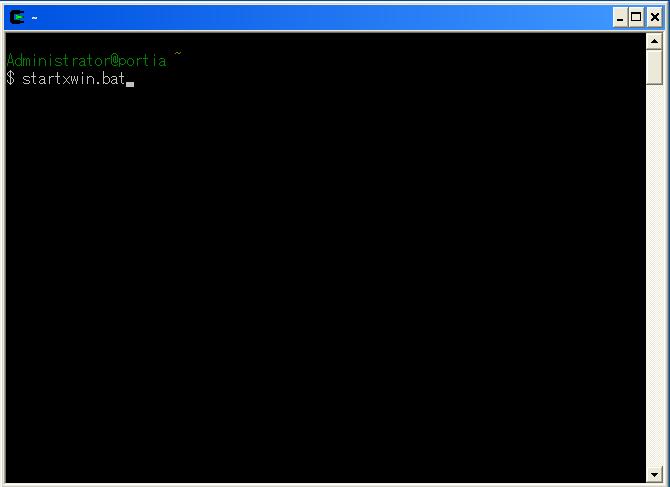
Basically to start running Ns-2 on Cygwin, we need to initiate the graphical mode by typing "startxwin.bat"


and we can run any ns-2 tcl script by entering the ns command followed by the script

example :

ns example1.tcl